FleetPro
A connected workflow from dispatch to invoice.
FleetPro brings booking, allocation, driver communication, job progress and administration into a connected fleet and logistics workspace. AI assists; your team decides.
Discuss your fleet workflow
Inside FleetPro
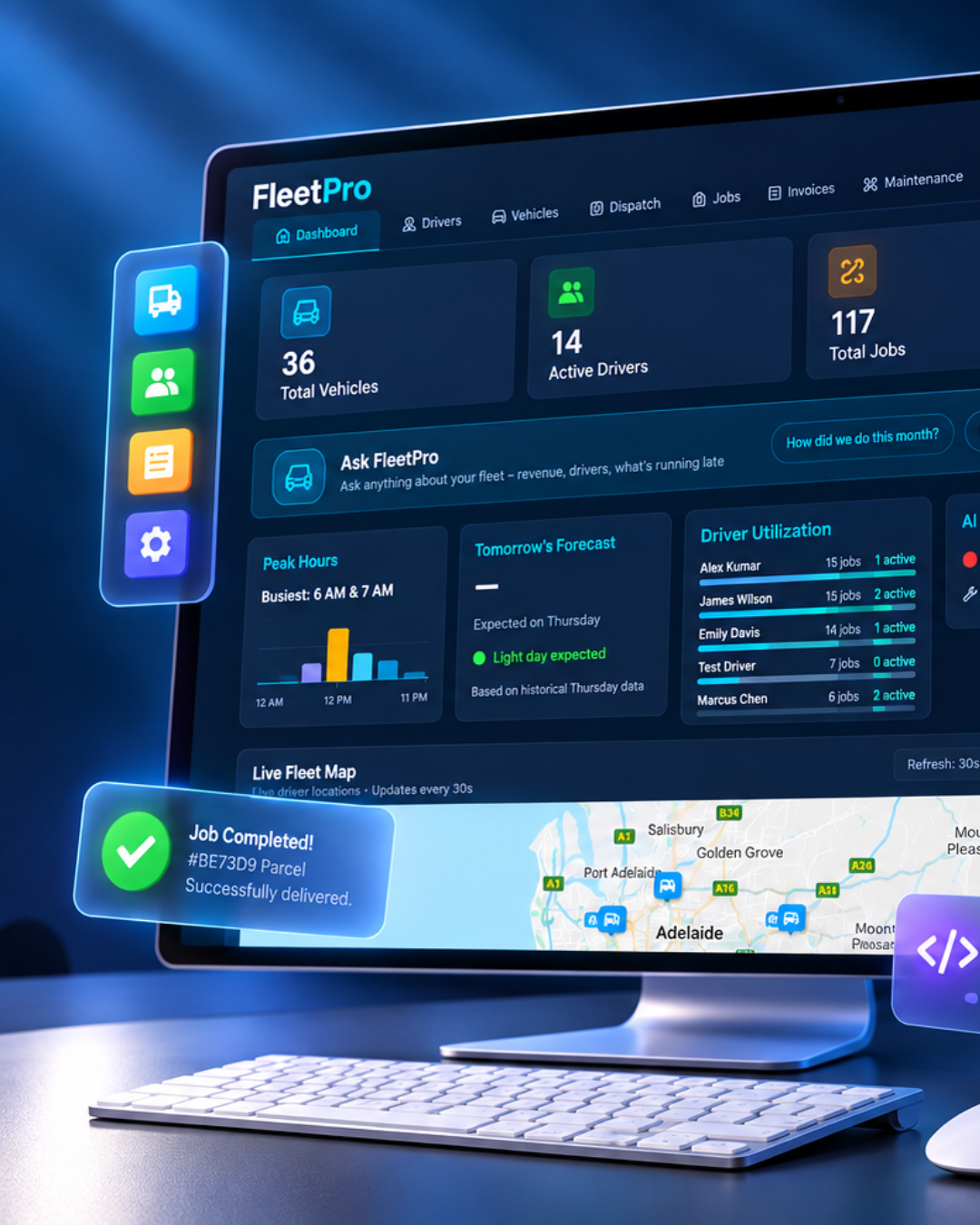
Supplied product presentation. Demonstration data, not customer results.
- Sector
- Transport
- Story status
- Product showcase
- Focus
- Fleet management & dispatch software
See the story in motion
How AI dispatch chooses a driver and vehicle
Watch the supplied FleetPro video explore driver and vehicle selection for transport jobs. AI supports the review; the dispatcher retains responsibility for allocation and operational decisions.
Watch on YouTube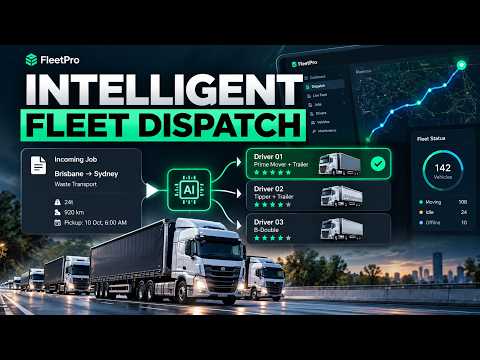
01 / The challenge
Start with the work,
not a feature list.
When booking details, driver allocations and delivery evidence sit in separate places, dispatchers and administration spend time rebuilding the same picture. A connected workflow keeps each job and its next action visible.
A transport job moves through several people: the team taking the booking, the dispatcher allocating it, the driver completing it and the administrator preparing the invoice. Each handover needs the same job context. Fleet management software becomes more useful when booking details, workforce information and completion evidence can be reviewed as parts of that journey rather than isolated records.
02 / The approach
Fleet management & dispatch software
- 01Booking
- 02Dispatch
- 03Driver
- 04Completion evidence
- 05Invoice preparation
Product journey illustrated by supplied screens; implementation scope is confirmed separately.
Start with the booking and consignment record. Keep pickup, destination and job requirements visible before allocation. The supplied dashboard presentation brings fleet summaries, driver activity and Ask FleetPro into the same operational picture.
Coordinate drivers, vehicles and maintenance. The supplied mobile and desktop presentations show vehicles, location maps, maintenance issues, driver details and rosters. Review availability and maintenance information before allocation; these demonstration screens are not a named fleet’s live activity.
Carry job information through the administration handover. Jobs, rosters and invoice views support a connected quote-to-invoice journey. AI-generated summaries or suggestions need review, while accounting connections and implementation scope are confirmed separately.
The product in practice
A closer look at the workflow.
Supplied product visuals show the capabilities discussed in this story. Screen counts are demonstration data, not measured business results.
03 / Product value
Give dispatchers, drivers and administration a shared view of the work and its next action.
Keep job context together
Follow bookings and consignment information through allocation and progress, instead of relying on scattered updates.
Connect people and planning
Review workforce information alongside the jobs that need attention.
Prepare the administration handover
Bring completion information into the workflow before invoice preparation. Implementation scope and integrations are confirmed separately.
What to measure next.
These are review questions for evaluating the workflow, not achieved KPIs. Baselines and measured outcomes have not been supplied for publication.
- Dispatch visibility
- Which jobs still need allocation or an operational update?
- Completion evidence
- Is the information needed for the administration handover available?
- Invoice readiness
- What is missing before a completed job can progress to invoice preparation?
04 / Evidence & status
What this story shows.
Actual supplied FleetPro product screens. This is a capability showcase, not a named customer deployment or measured-results report.
AI assistance and any proposed extensions are reviewed during scoping; this story does not claim autonomous dispatch, booking volumes or weekly time savings.
Banner photography is AI-generated editorial illustration, not a photograph of the client, its staff or its premises. Product screens are the separately supplied visual evidence.
Explore a similar workflow
From this story to your next step.


A similar challenge?
Let’s talk about your workflow.
Work with our Adelaide-based team to identify the information, decisions and handovers your software needs to support.